














 西门子官方商城
- {{item.name}}
更多

PH IS 软件安装

发布时间:2024年08月05日
- 0
- 387
本章节介绍了PH历史站和IS 信息服务器的软件安装步骤。
PH和IS的安装
请务必选择英文版的兼容操作系统来进行安装,具体兼容性请参考对应版本的PCS 7兼容性列表。
https://support.industry.siemens.com/cs/cn/zh/view/64847781
兼容性检查网址。
安装PH和IS前需要先安装.net 3.5和消息队列,参考:
https://support.industry.siemens.com/cs/cn/zh/view/109801605
SIMATIC PCS 7 V9.1中文版安装步骤说明
如果需要安装IS或者PH和IS在一台电脑上,需要安装一些与网站相关的服务,
下面以PCS 7 V9.1 SP2的PH和IS安装在Server 2019为例介绍:
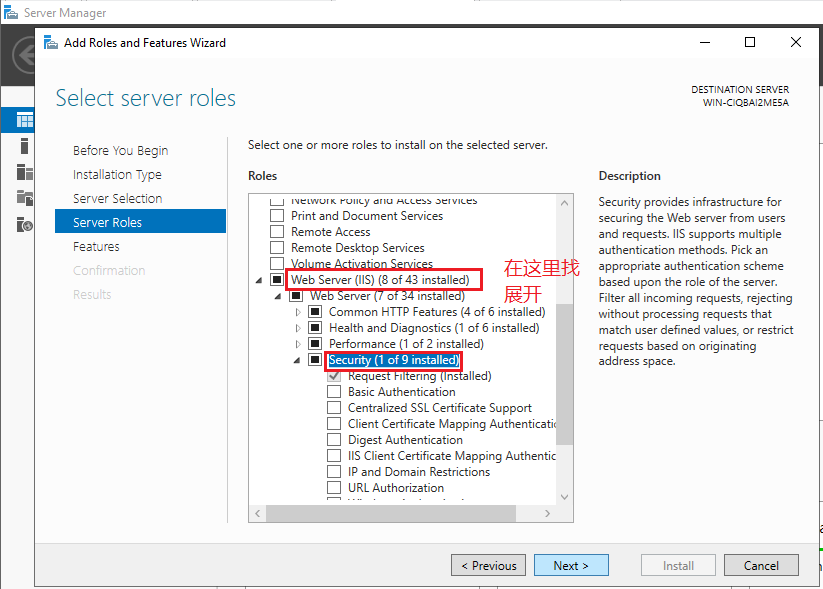
图3.1-1 添加安全功能
接下来,选择ASP等需要的服务,如下所示:
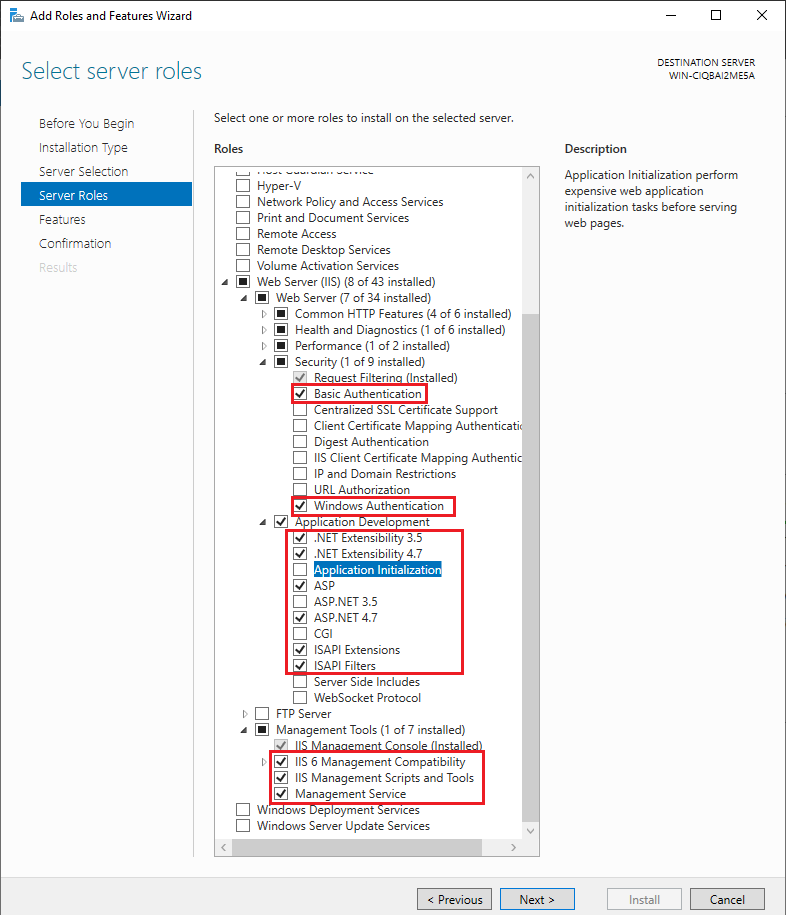
图3.1-3 添加ASP应用
接下来,在PCS 7 安装盘里启动SETUP,然后选择数据包安装,再在选项界里选择“Process historian and information Server”,如下所示:
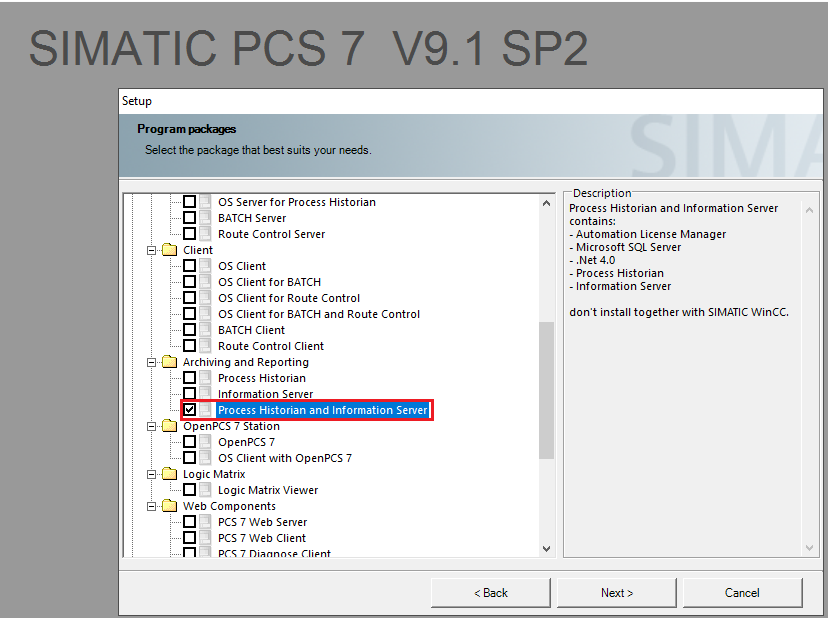
图3.1-3 PH安装界面
最后依次点击“NEXT”即可完成安装。

- 评论
更多
-
分享
扫码分享
- 收藏 收藏
- 点赞 点赞
- 纠错 纠错








{{item.nickName}}