














 西门子官方商城
- {{item.name}}
更多

PH 初始化

发布时间:2024年08月05日
- 0
- 310
本章节介绍了PH历史站安装完成后的初始化过程。
PH的初始化
在安装结束后,系统自动弹出初始化的窗口,首先点击“开始分析”按钮,系统对WIDNOWS的硬件进行分析,判断是否能满足要求。
下面是PH 2020的初始化界面。
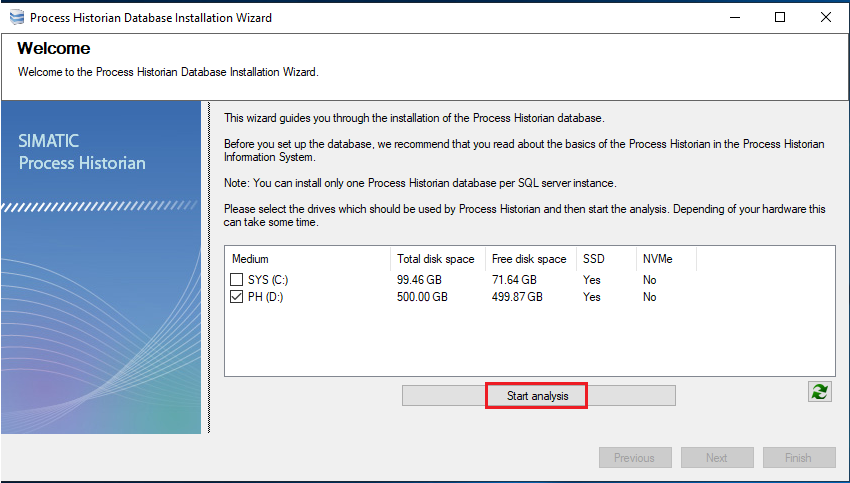
图3.2-1 PH初始化向导启始界面
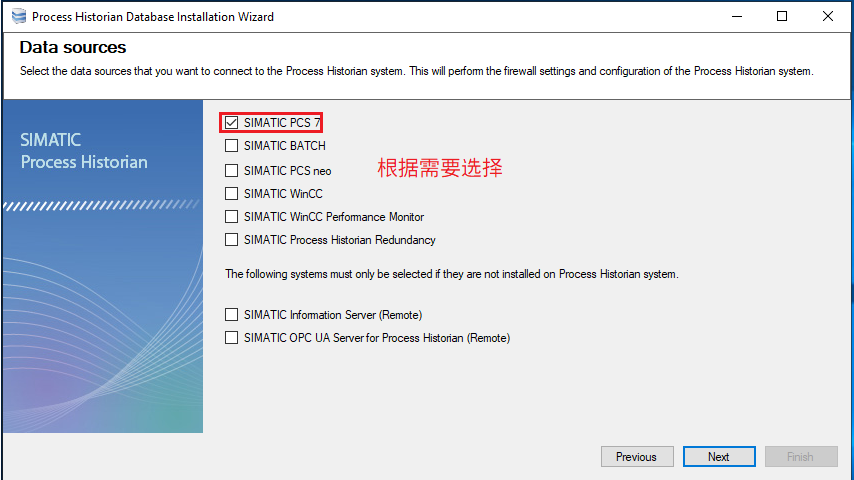
在下面窗口里选择数据源的类型,请根据需要来选择。
 .
.
图3.2-2 选择PH的数据源
接下来,选择是单PH还是冗余PH。
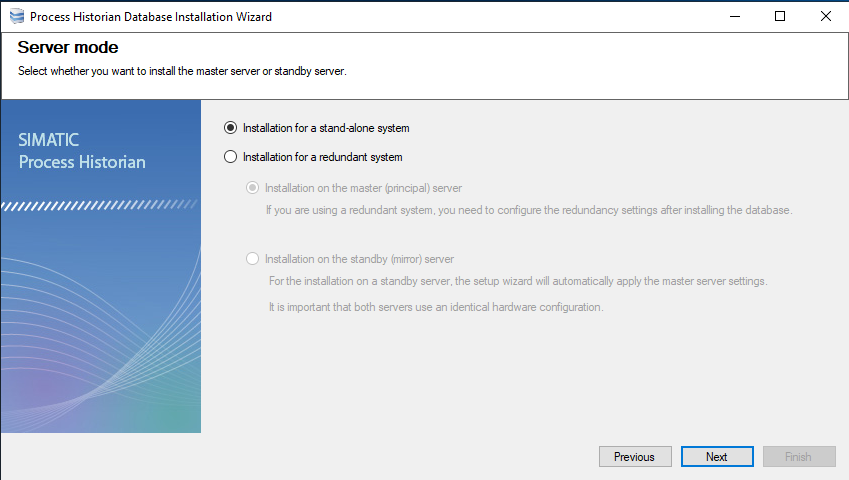
图3.2-3 选择PH是否冗余
选择“下一步”后,系统弹出最后的检查结果列表,选择结束后开始进行初始化工作。
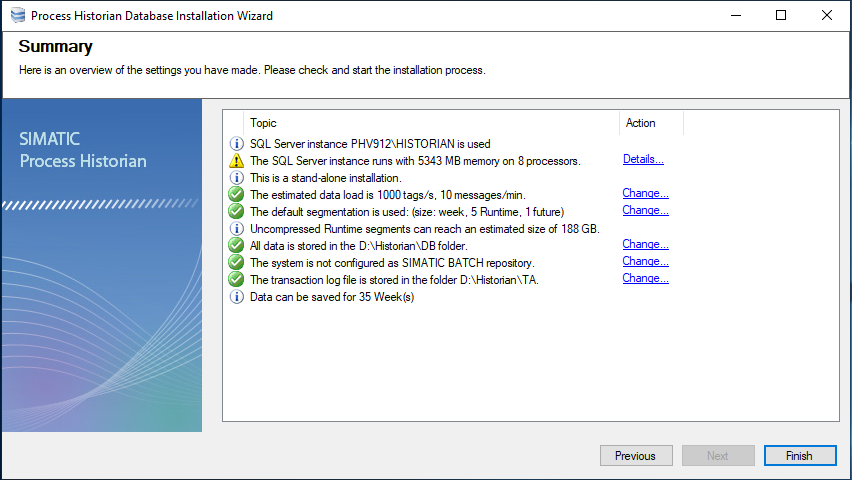
图3.2-4 PH检查结果列表
初始化结束后,系统会要求重启,重启后桌面上出现仪表板的快捷方式,打开仪表板,可以看到PH的状态。
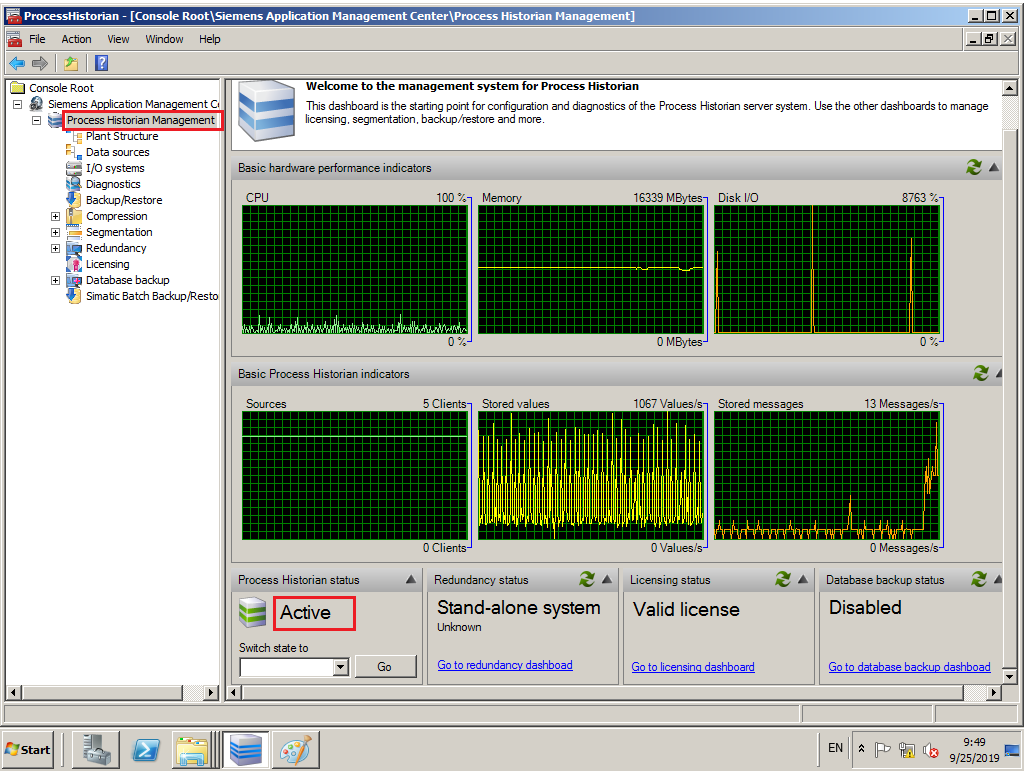
图3.2-5 PH已经激活
详细的安装指南,请参考:
https://support.industry.siemens.com/cs/cn/zh/view/90063563
如何安装PCS 7 Process Historian
https://support.industry.siemens.com/cs/cn/zh/view/66579062
PCS 7 环境中安装与调试过程历史归档服务器/信息服务器(从安装到选型诊断)

- 评论
更多
-
分享
扫码分享
- 收藏 收藏
- 点赞 点赞
- 纠错 纠错








{{item.nickName}}