













 西门子官方商城
- {{item.name}}
更多

创建UMC域

发布时间:2024年09月01日
- 0
- 326
配置UMC域,准备后续创建和管理用户的系统环境。
创建UMC域
配置UMC域,准备后续创建和管理用户的系统环境。

图4-4 配置UMC域
组态Configruation > 域(Domain),输入UMC的“域名称”,“用户名”,“密码”以及“确认密码”,点击“创建域”(Create domain)。
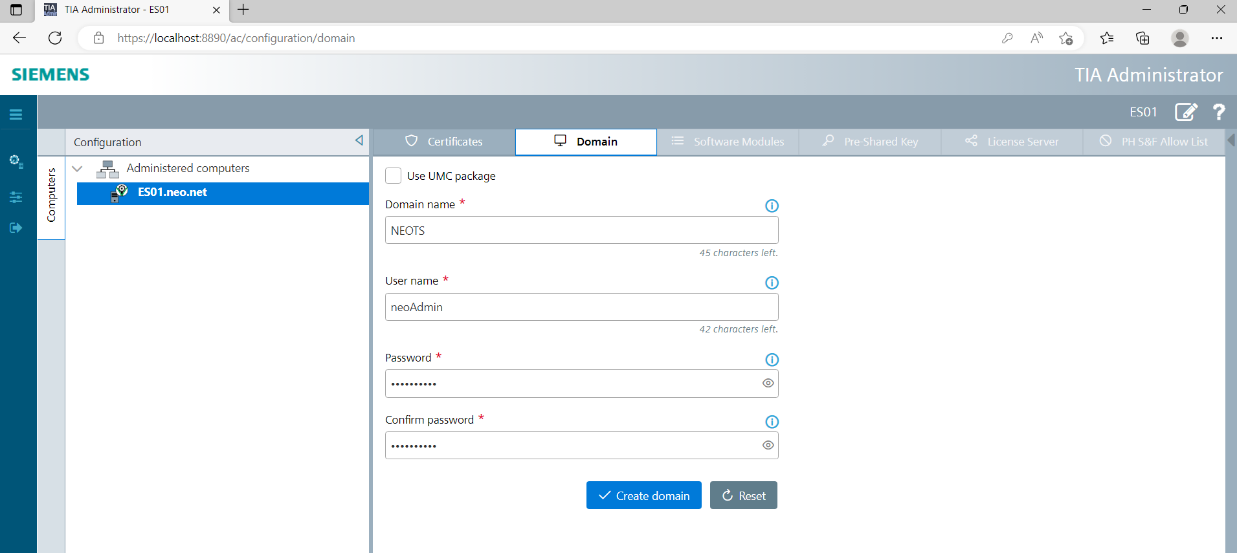
图4-5 输入UMC域
等待UMC域成功创建。
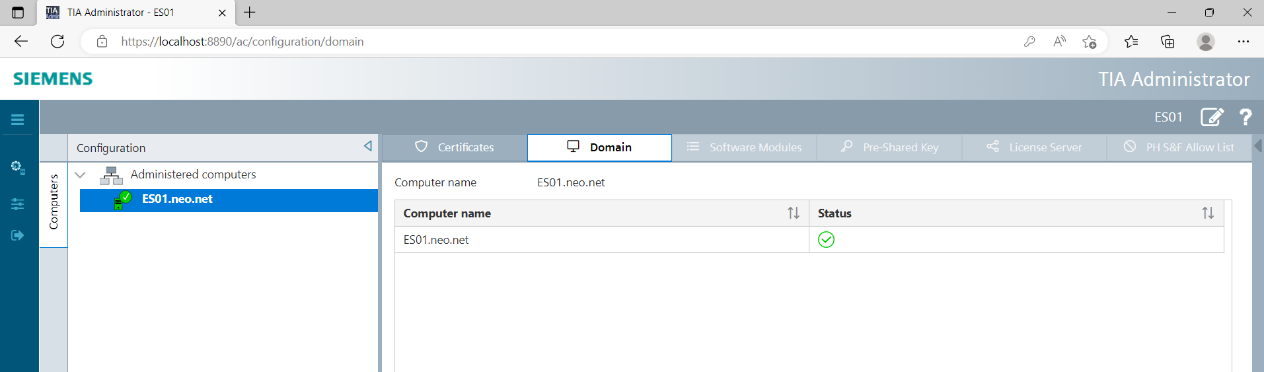
图4-6 创建UMC域成功
菜单栏中点击“设置” (Settings),在“登录方式”(Login type)中选择“UMC”,然后“保存”(Save)退出登录。
再次登录时,将使用UMC账号。

图4-7 配置UMC账号登录

- 评论
更多
-
分享
扫码分享
- 收藏 收藏
- 点赞 点赞
- 纠错 纠错







{{item.nickName}}