















 西门子官方商城
- {{item.name}}
更多

调整画面大小功能

发布时间:2025年10月20日
- 0
- 710
本文档主要介绍了 SIMATIC Unified Panels 的调整画面大小功能。
1. 概述
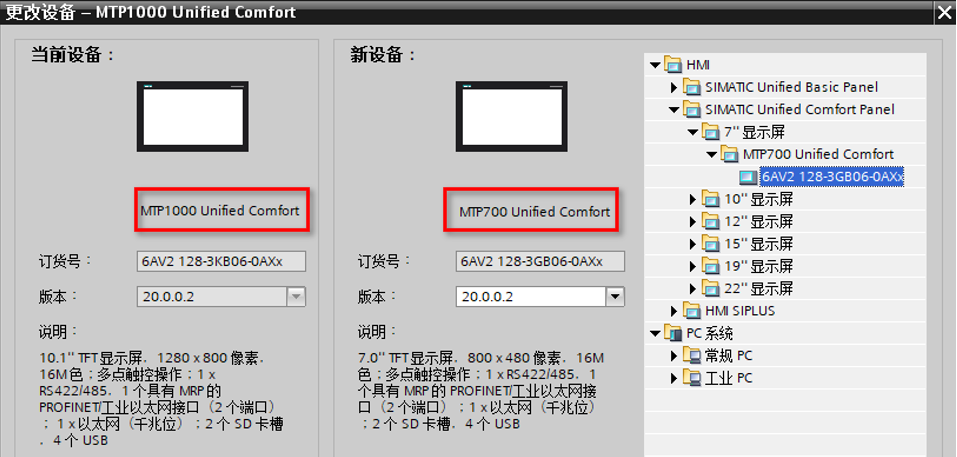
Unified 面板更换不同尺寸的 Unified 面板设备后,例如 MTP1000 Unified Comfort 面板更换 MTP700 Unified Comfort 面板后,该如何快速调整画面大小呢?
2.调整大小适应显示屏
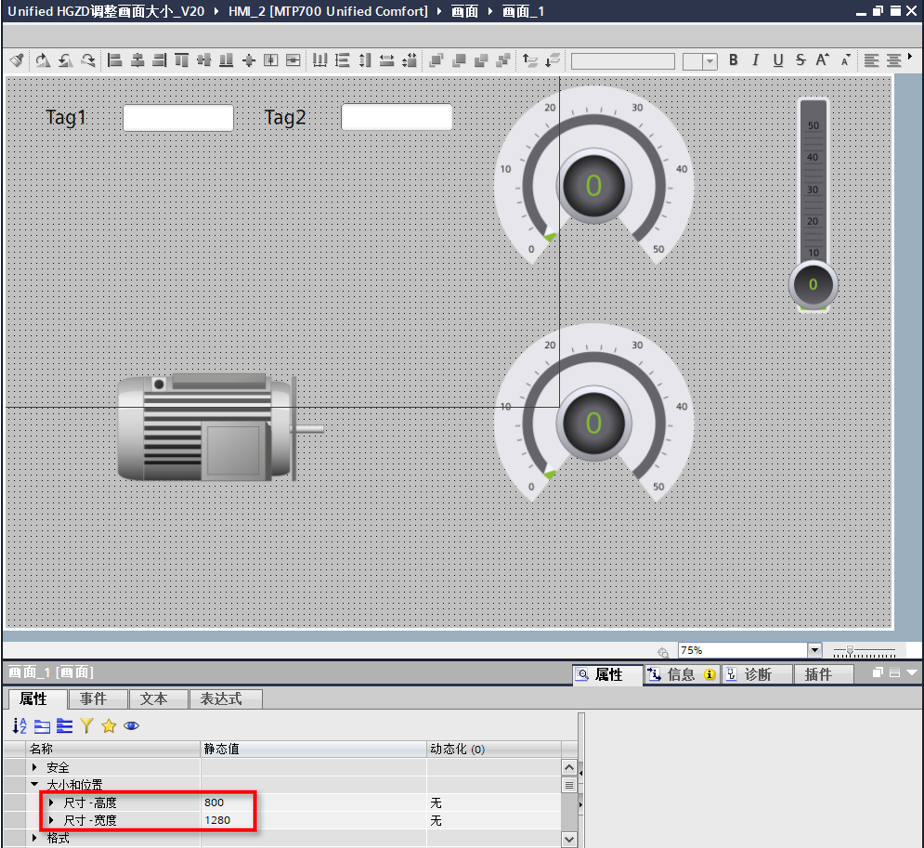
如图所示,更换设备后,在 MTP700 Unified Comfort 的画面的属性中可以看到宽度是1280,高度是800,依旧是 MTP1000 Unified Comfort 的默认画面尺寸。
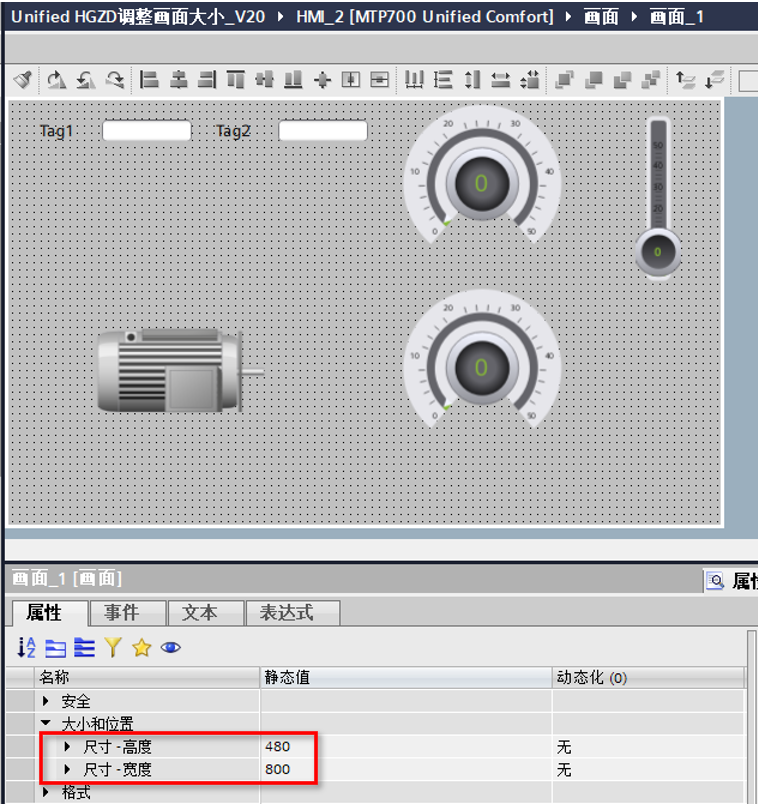
执行“调整大小以适应显示屏”的命令。

可以看到画面的尺寸、画面中的对象以及所用字体均已经调整。
3. 测试设备与软件版本
Unified 精智面板设备版本:V20.0.0.2
博途软件版本:V20 Update3

- 评论
更多
-
分享
扫码分享
- 收藏 收藏
- 点赞 点赞
- 纠错 纠错








{{item.nickName}}