















 西门子官方商城
- {{item.name}}
更多

仿真连接实际 PLC

发布时间:2025年11月13日
- 0
- 1337
本文档主要介绍了 SIMATIC Unified Panels 仿真连接实际 PLC 功能。
1. 基本介绍
编写完工程项目后,如果有实际的 PLC 硬件,可以仿真 HMI 和 PLC 建立连接以便测试相关功能。
本文以 S7-1500 PLC 和 MTP1200为例,演示 HMI 仿真连接实际 PLC 的过程。
- S7-300 / S7-400 / S7-1200和Unified面板仿真时也可参考该文档。
2. PLC 配置
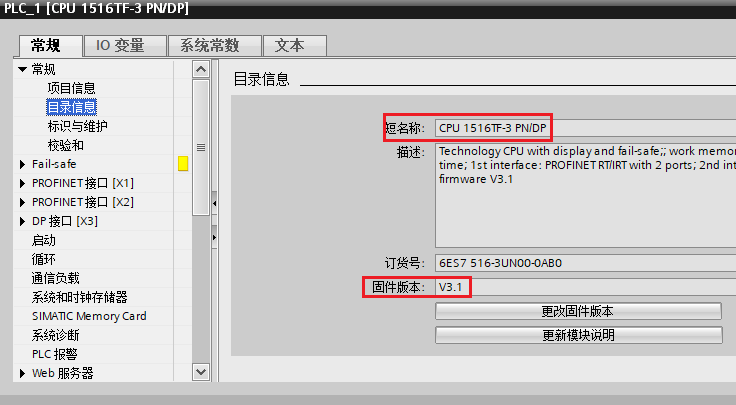
在项目中添加 S7-1500 PLC(固件版本为V3.1)。
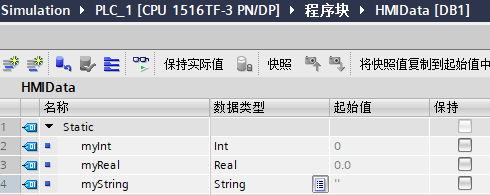
添加数据块 “HMIData”,并创建变量以便测试。
在“设备和网络”中的“网络视图”下创建 HMI 连接。
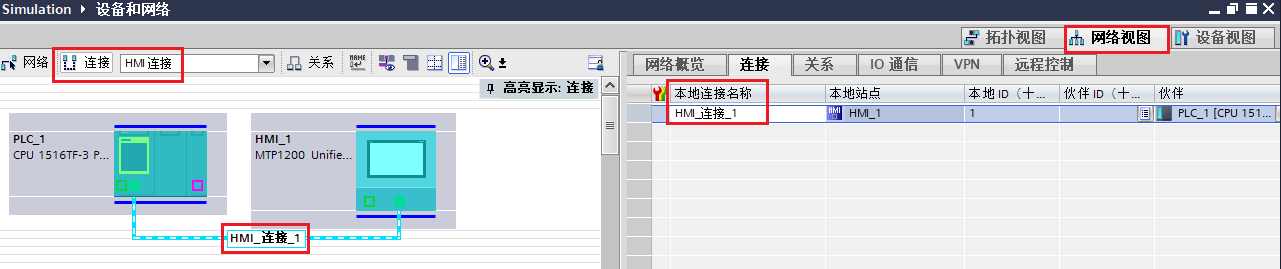
创建 “HMI连接” 的过程可以参见如下文档:
集成连接和非集成连接
https://www.ad.siemens.com.cn/download/materialaggregation_832.html#-832
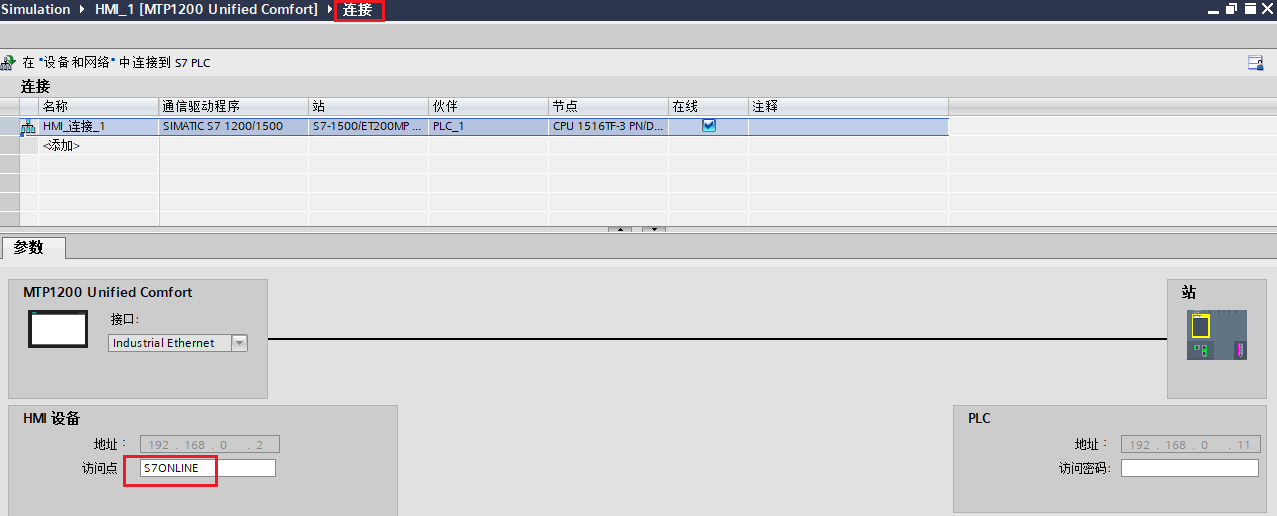
可以在 HMI 设备下的“连接”中看到通信参数和访问点,如果没有特殊需求,建议使用默认的访问点 S7ONLINE。

3. HMI 配置
在项目中添加 MTP1200(Image Version:V20.0.0.2),并在 HMI 变量表中添加和 PLC 通信的变量。
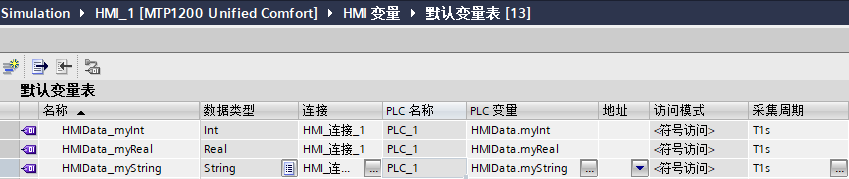
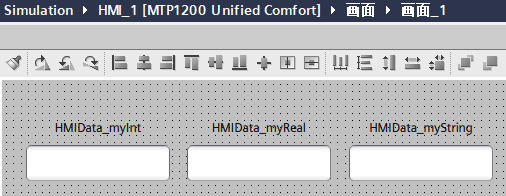
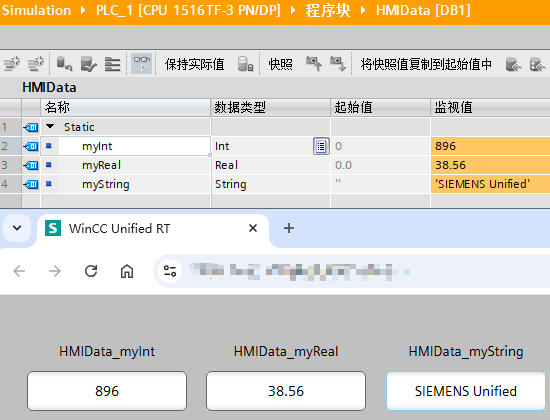
添加画面,并在画面中组态3个 IO 域,分别关联 HMI 变量表中的 3 个变量以便测试数据的读取和写入。
4. 启动测试
4.1 下载 PLC 程序到硬件中
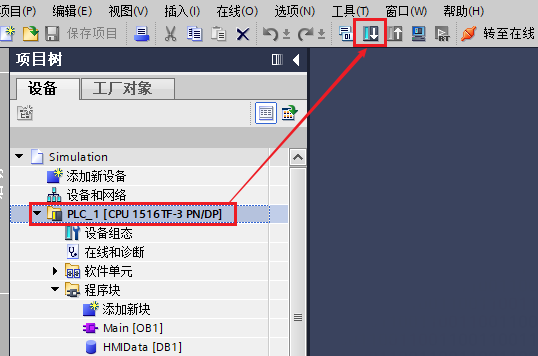
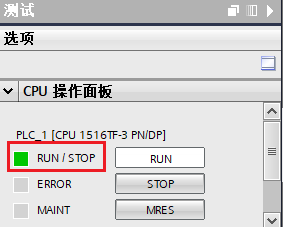
在左边“项目树”选择 PLC 后点击“工具栏”的下载按钮,将 PLC 程序下载到实际硬件中,并切换到运行模式。
4.2 设置 PG/PC 接口
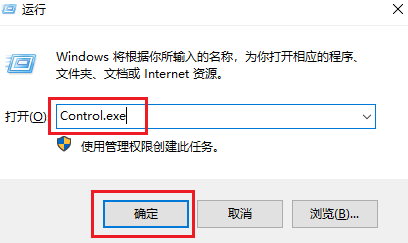
使用 Win+R 组合键的方式调出运行窗口,输入 Control.exe 后点击确定进入 PC 的控制面板。
将右上角的查看方式选择为“大图标”,找到“设置 PG/PC 接口(32位)”。
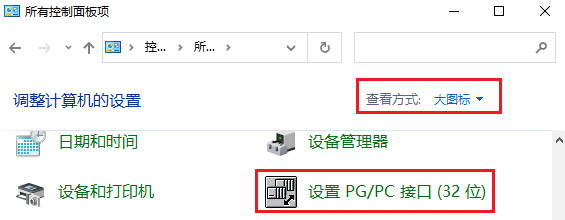
打开“设置 PG/PC 接口(32位)”后,“应用程序访问点”选择为 S7ONLINE,“为使用的接口分配参数”处选择实际电脑的网卡名称.TCP.IP.1的选项,然后点击确定按钮。
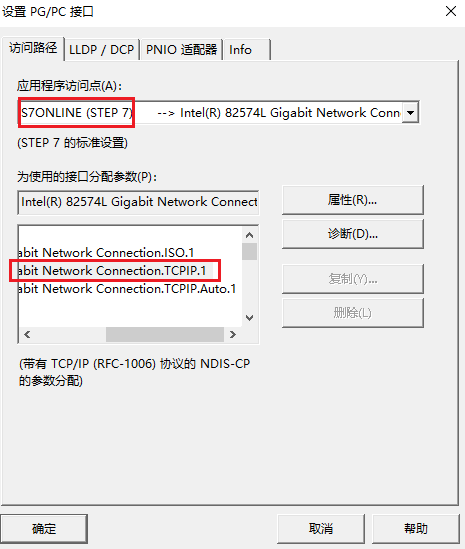
务必注意:访问点需要和 HMI 连接下的访问点保持一致。
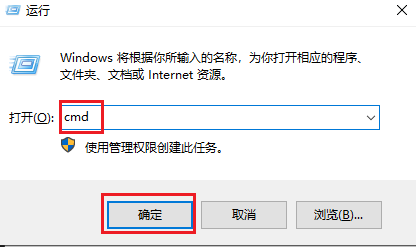
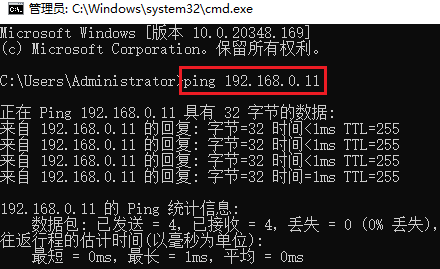
使用 Win+R 组合键的方式调出运行窗口,输入 cmd 后点击确定进入 PC 的命令行窗口。
使用 ping 指令测试 PC 和 PLC 硬件的连接情况。
4.3 启动 HMI 的仿真
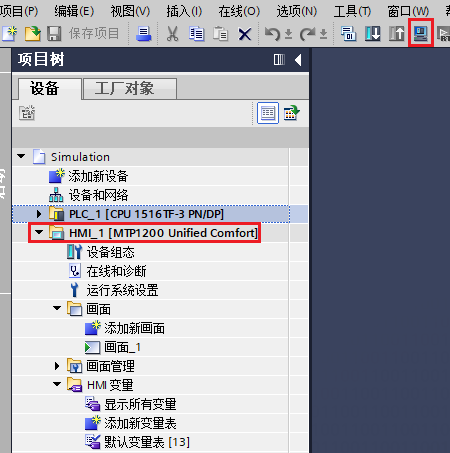
在左边“项目树”选择 HMI 后点击“工具栏”的仿真按钮,激活仿真。
5. 测试结果
6. 参考资料
如何组态仿真精智面板与实际 PLC 的通信
https://support.industry.siemens.com/cs/cn/zh/view/109477807

- 评论
更多
-
分享
扫码分享
- 收藏 收藏
- 点赞 点赞
- 纠错 纠错








{{item.nickName}}