














 西门子官方商城
- {{item.name}}
更多

WinCC Unified 操作员消息(无 Audit)

发布时间:2026年03月07日
- 0
- 18
本实例主要介绍 WinCC Unified V21 无 Audit 选件的情况下,实现更改变量值和按钮手动操作生成操作员消息
本实例主要介绍 WinCC Unified V21 无 Audit 选件的情况下,实现更改变量值和按钮手动操作生成操作员消息
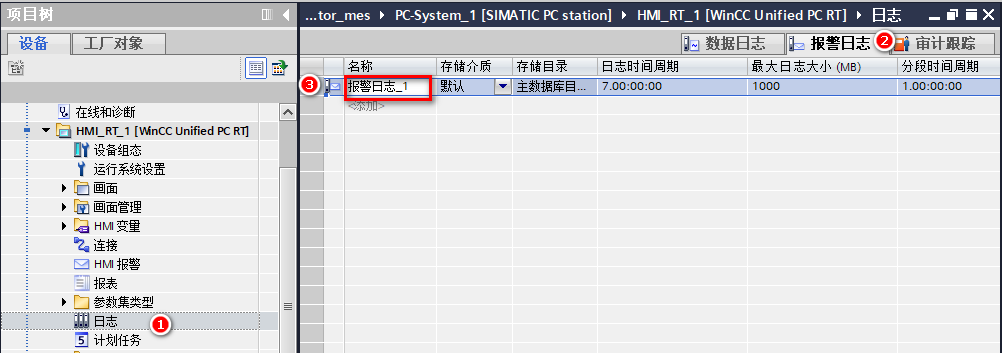
- 添加报警日志以及报警报警控件
添加报警记录“报警日志_1”:
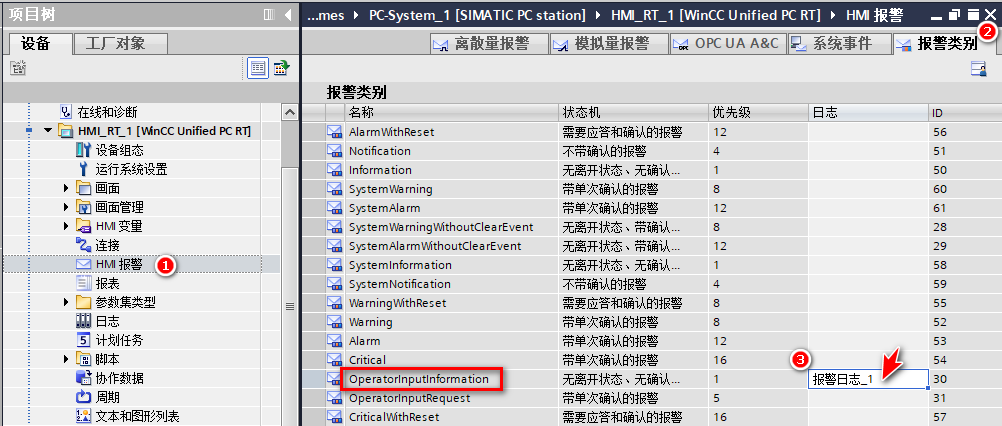
在“HMI 报警”的“报警类别”选项卡中将“OperatorInputInformation”报警类别关联报警日志“报警日志_1”:
画面中添加报警控件“报警控件_1”,设置其报警视图中的“ID”、“报警类别”、“报警文本”列可见: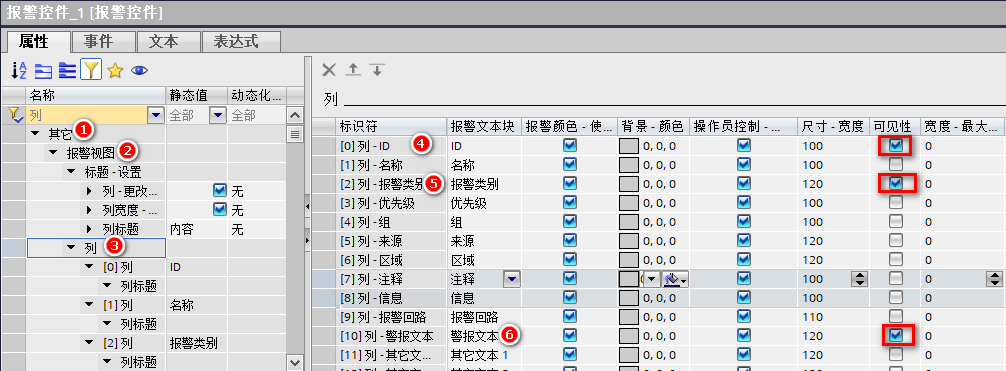
2. 变量值更改触发生成操作员消息:
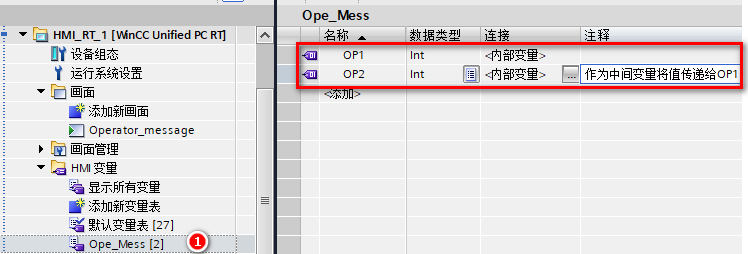
在变量表中添加内部变量 int 型变量“OP1”、“OP2”:
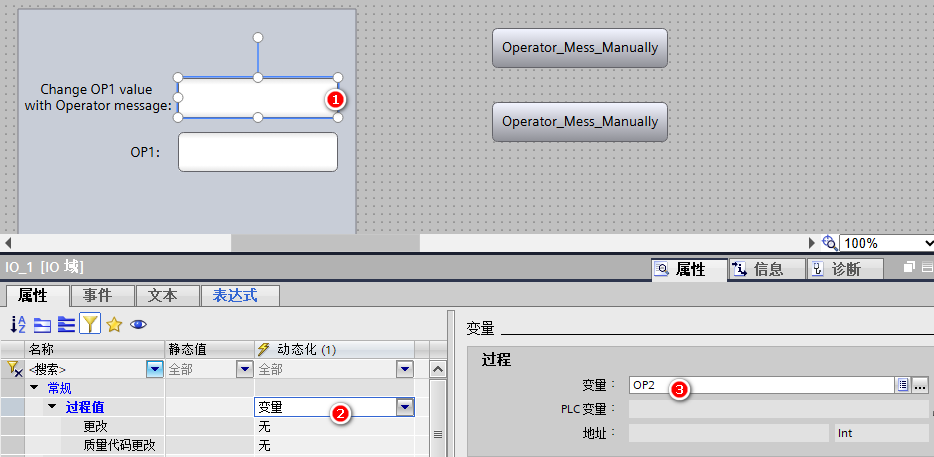
在画面中添加一个I/O 域“IO_1”并关联变量“OP2”:
调用Tag的“WriteWithOperatorMessage”方法,会写入变量(“Tag”对象)的值,然后触发操作员输入报警即“OperatorInputInformation”类别的报警,触发的操作员输入报警包括值变化的原因、旧值、新值、用户、主机名称和单位,具体参数如下所示:

在I/O 域“IO_1”的“输入完成”事件中编写脚本:
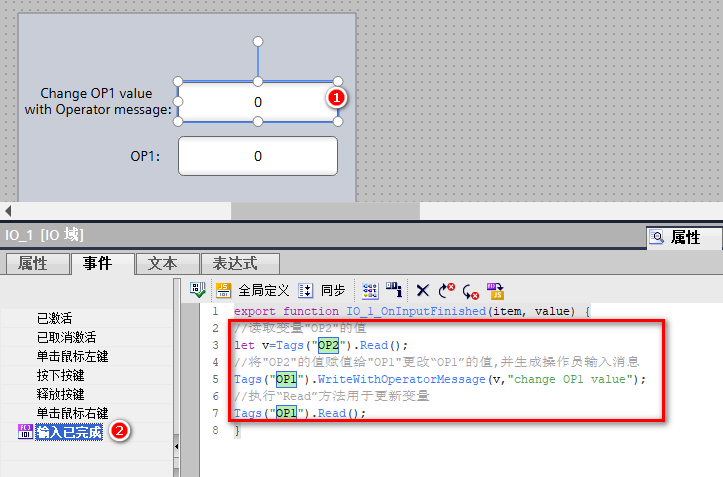
具体代码如下:
//读取变量"OP2"的值
let v=Tags("OP2").Read();
//将"OP2"的值赋值给"OP1"更改“OP1”的值,并生成操作员输入消息
Tags("OP1").WriteWithOperatorMessage(v,"change OP1 value");
//执行“Read”方法用于更新变量
Tags("OP1").Read();
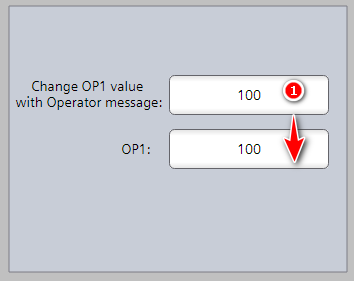
项目运行后的执行效果如下:
修改第一个I/O 域的值后变量“OP1”的值发生了更改
并且点击工具栏中的“已记录报警”后可查看到对应生成的操作员输入消息:
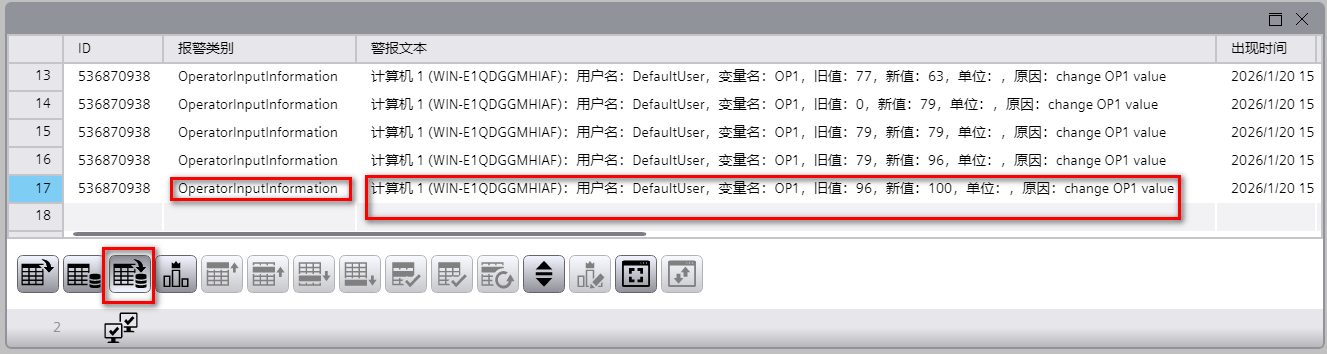
3. 按钮手动操作触发生成操作员消息:
调用系统函数“CreateOperatorInputInformation”创建“OperatorInputInformation”类别的报警。
| 参数 | 说明 |
| 报警文本 | 指定报警文本。 |
| 报警文本可以是固定字符串,也可以是对文本列表的引用。还可以使用文本列表将报警文本定义为与语言相关。 | |
| 仅可在系统函数中以一种语言定义报警文本。 | |
| 区域(可选) | 指定报警范围。 |
| 参数值 1(可选) | 第一个报警参数的值 |
| 参数值 2(可选) | 第二个报警参数的值 |
| 参数值 3(可选) | 第三个报警参数的值 |
| 参数值 4(可选) | 第四个报警参数的值 |
| 参数值 5(可选) | 第五个报警参数的值 |
| 参数值 6(可选) | 第六个报警参数的值 |
| 参数值 7(可选) | 第七个报警参数的值 |
在画面中添加按钮“bt_1”,在其“释放”事件下添加系统函数“创建操作员输入信息”,
在报警文本中输入固定的报警文本“”,其他参数是可选项根据实际需求进行填写即可:
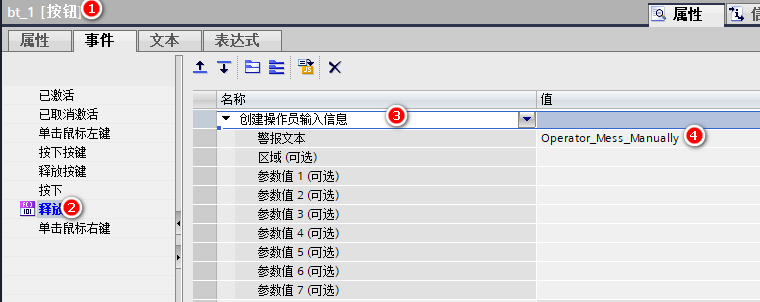
项目运行点击按钮后的效果如下:
报警控件中的历史报警列表中生成了报警类别为“OperatorInputInformation”的消息,且报警文本为设定的报警文本内容。
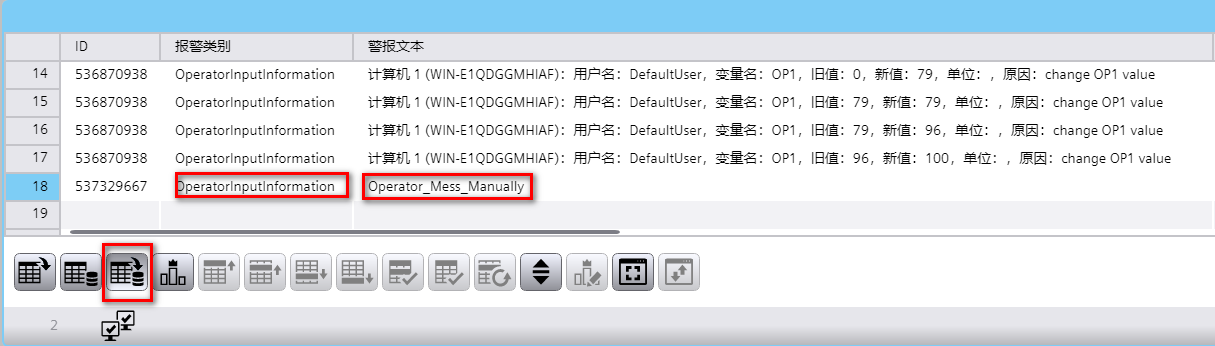
也可以通过JS 脚本生成操作员消息:
JS 脚本语法如下:
HMIRuntime.Alarming.SysFct.CreateOperatorInputInformation(AlarmText[,Area][,AlarmParameterValue1][,AlarmParameterValue2][,AlarmParameterValue3][, AlarmParameterValue4][,AlarmParameterValue5][,AlarmParameterValue6][,AlarmParameterValue7]);
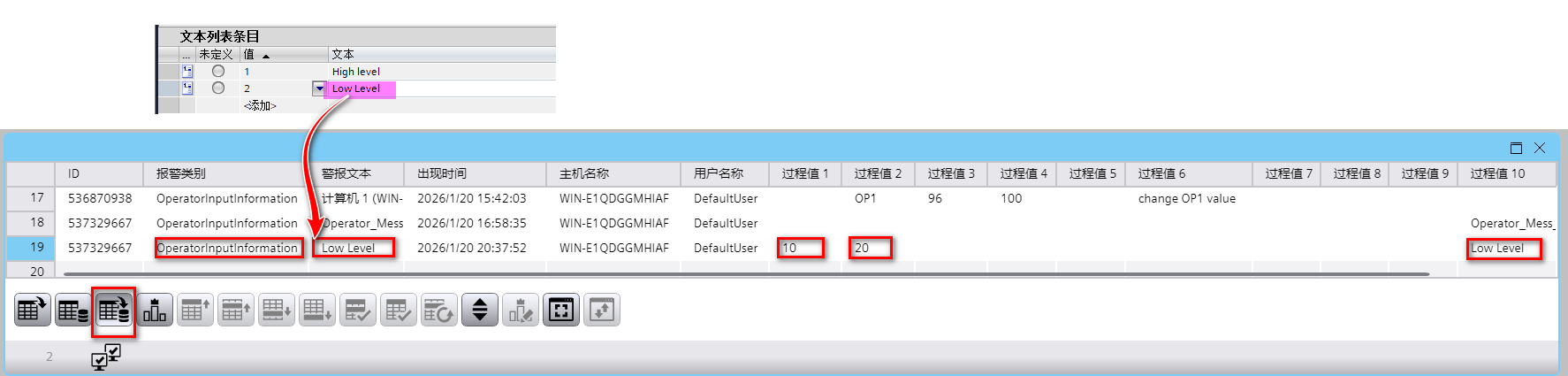
脚本中可以引用文本列表中的条目,且可以指定文本的语言:
(1)、添加文本列表“Alarm_List”:
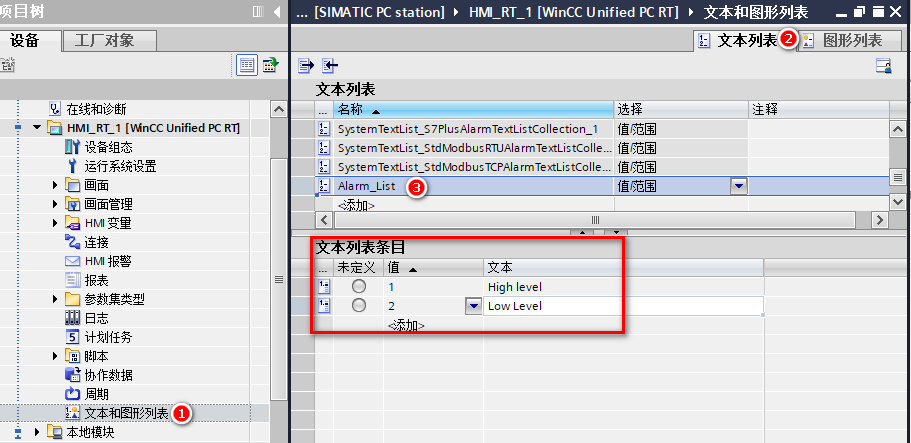
(2)、画面中添加按钮“bt_2”,在其“释放”事件中添加脚本:

具体代码如下:
export async function bt_2_OnUp(item, x, y, modifiers, trigger) {
//生成操作员消息。报警文本引用文本列表中的中文条目,赋值参数值1、参数值2
HMIRuntime.Alarming.SysFct.CreateOperatorInputInformation(HMIRuntime.Resources.TextLists("@Default.Alarm_List").Item(2).Item(2052), undefined, 10, 20, undefined, undefined, undefined, undefined, undefined);
}
项目运行后点击按钮,生成的操作员消息在报警控件上的显示:

- 评论
更多
-
分享
扫码分享
- 收藏 收藏
- 点赞 点赞
- 纠错 纠错






{{item.nickName}}