找答案的高端用户(找答案钻石及双钻级别的用户)将尽可能从此问题下的所有回
答中,为您推荐最佳答案。届时您可以根据推荐数采纳答案。
如果自提问时间起7天内您仍无法选出最佳答案,您可以选择“无满意答案”关闭此问题。
 问题
问题
 取消精华
取消精华
 首页精华问答
取消推荐
首页精华问答
取消推荐
 高端用户推荐
 申请置评
已申请置评
申请置评
已申请置评
 修改
修改
 修改标签
添加标签
修改标签
添加标签
 官方认证
取消官方认证
修改标签
添加标签
官方认证
取消官方认证
修改标签
添加标签
 转移分类
转移分类
 删除
删除
{{itemCategory}}
扫码小程序:
一键登录查看全部问答


 收藏({{answerDetail.Q_FavoriteCounts}})


 钻石用户推荐最佳答案
版主推荐答案
最佳答案
钻石用户推荐最佳答案
版主推荐答案
最佳答案
 专家建议
取消最佳答案
修改
专家建议
取消最佳答案
修改
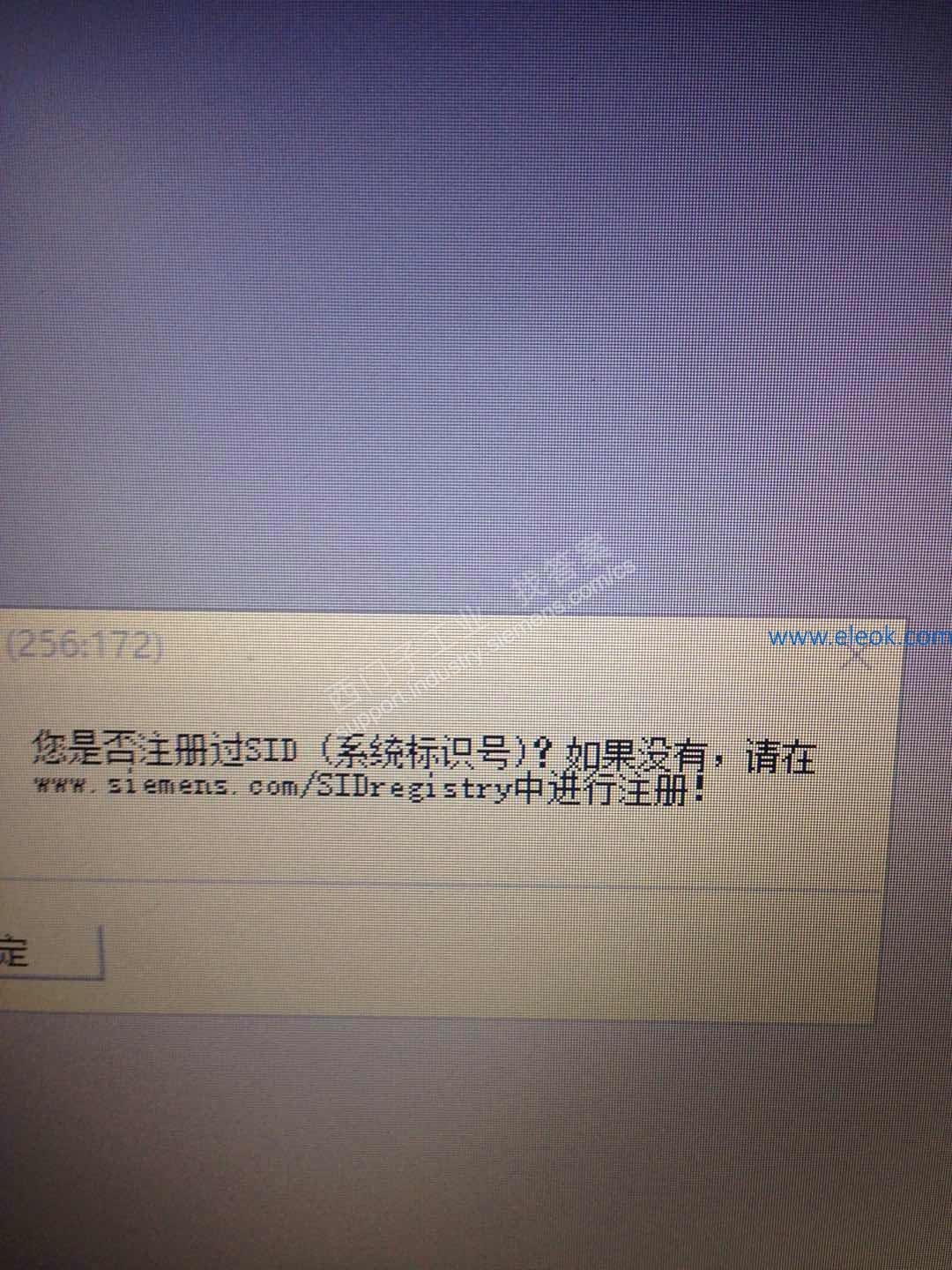
1、这个是PCS7 V9.0才有的,一种新的服务理念,为了更快更好的服务客户。如果不希望每次打开软件时都弹出这个提示可以去 www.siemens.com/SIDregistry这个网站上免费注册,然后在项目属性中添加该SID。
2、不注册也不影响使用。
在如下手册中有关于SID(88页)的介绍:
https://support.industry.siemens.com/cs/us/en/view/109756485
其中的描述如下:
A new service concept was introduced with SIMATIC PCS 7 V9.0, which is based on a
system-specific system identification number – the System ID (SID).
The System ID is generated once when you register your new system for free at
www.siemens.com/SIDregistry (www.siemens.com/SIDregistry) and is stored centrally at
Siemens Technical Support. It then serves as the unique identification of your PCS 7 system over its entire life cycle.
The System ID is assigned to your PCS 7 multiproject by entering the System ID in the
properties of the multiproject in SIMATIC Manager. The System ID entered there is also an
integral component of the inventory data that you read out with the SIMATIC Management
Console and can be sent to Siemens Technical Support via a Support Request.
Technical Support adds the transmitted inventory data and all the requests you make over
the system''s life cycle to your basic data. Registering your system offers you the following
advantages:
● Faster and more targeted support saves you time and may shorten or prevent system
stoppages.
● Holistic and fast error correction based on the current system configuration
● Lasting troubleshooting through documentation of all previous requests


 讲解视频
讲解视频
一分钟,西门子工程师带你解析本题
 等您来回答
换一换
等您来回答
换一换
 {{item.CoinValue}}西币
 {{item.VisitNum}}人想问
 本版相关问题
换一换
本版相关问题
换一换

找答案微信小程序

提问

搜索













 西门子商城
西门子商城 西门子中国
西门子中国
 1
1


 无满意答案关闭
 待解决
待解决


 本版热门问题
 {{item.ReadCount}}人关注
 向您推荐
向您推荐

 {{item.VisitNum}}人关注