下面的是搜索出来的,不是很明白他怎么操作的可以让cp5512兼容win7 64位的系统
Hi
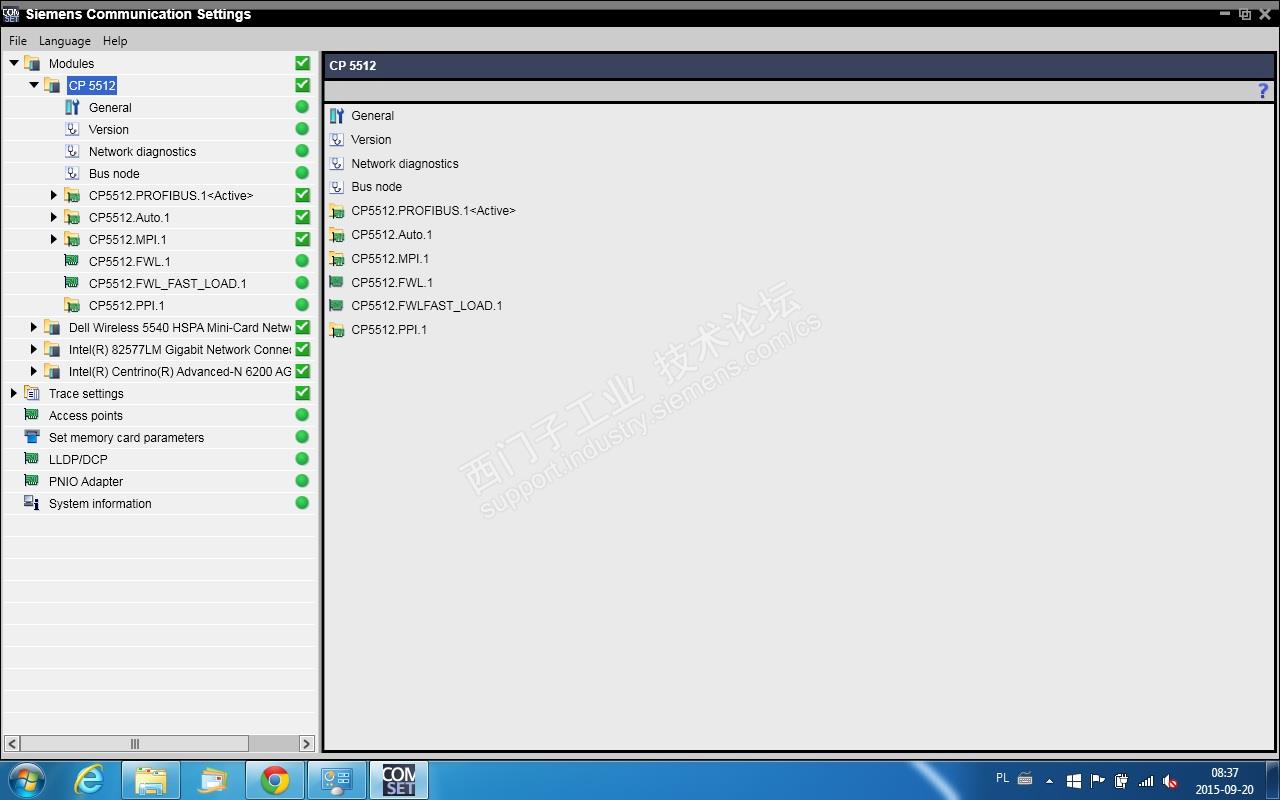
This is my story about CP5512 and TIA Portal V13.1.
I don't know why or how but I managed to run a full service CP5512 windows 7 64-bit and TIA Portal V13.1. I have used different drivers downloaded from the network. And as a result I lost even Windows Defender (you could not turn it on). I enjoyed the full functionality CP5512 both sr4 Step7 v5.5 and TIA Portal V13.1. (Those who need to use STEP 7 while the TIA Portal V13.1 know how annoying is the constant reloading systems XP 32-bit and 64-bit Win7). When migrating to a larger hard disk, reinstall Win7 and the TIA Portal unfortunately CP5512 stopped working. It is in the system but you can not use it. The cure turned out to be copying from previous disc contents of the directory C: Program Files Common Files Siemens Automation.
Siemens CP5512 deliberately blocking service to force the abandonment of STEP 7. Unfortunately serving a large amount of applications S7-300 / 400 while exchanging panels on Basic 2 or new Comfort we are doomed to two systems (XP and Win7).
翻译:
你好
这是我关于CP5512和TIA Portal V13.1的故事。
我不知道为什么或如何,但我设法运行全面服务CP5512 Windows 7 64位和TIA Portal V13.1。我使用过从网络下载的不同驱动程序。结果我甚至失去了Windows Defender(你无法打开它)。我很喜欢CP5512的全部功能,包括sr4 Step7 v5.5和TIA Portal V13.1。(那些需要使用STEP 7而TIA Portal V13.1知道有多烦人的是那些令人讨厌的不断重载系统XP 32位和64位Win7)。迁移到更大的硬盘时,重新安装Win7和TIA Portal,遗憾的是CP5512停止工作。它在系统中,但你不能使用它。结果证明是从目录C: Program Files Common Files Siemens Automation的先前光盘内容进行复制。
西门子CP5512故意阻止服务以强制放弃STEP 7.不幸的是,在Basic 2或新Comfort上交换面板时,为大量应用程序S7-300 / 400提供服务,我们注定要注意两个系统(XP和Win7)。











 技术支持
技术支持 AI小西
AI小西
 风驰卡
风驰卡 产品入门
产品入门 在线产品选型
 售后登记和质保查询

 备件商城
备件商城 ASP工程师验证
 ASP公司证书验证
 售后服务常见问题
 首页
首页 售前文档(样本、宣传册等)
  售后文档(FAQ、手册等)
 首页
首页 立即开通1847会员
 标准机型应用中心
 首页
首页 教室培训课
教室培训课 取证训练营
取证训练营 在线自学课
在线自学课 认证证书查询
 培训伙伴验证
 首页
首页 最新发帖
最新发帖 精华帖
精华帖 发新帖
发新帖 已解决问题
已解决问题 精华常见问题
 官方商城
官方商城 西门子中国
西门子中国



 普通
普通


 本版热门话题

 相关推荐
相关推荐 相关帖子推荐











