WINCC 有好多版本,此处以TIA WINCC professional 为例;
首先要在目标机器上安装一个runtime,具体又分Advanced,professional,unified..
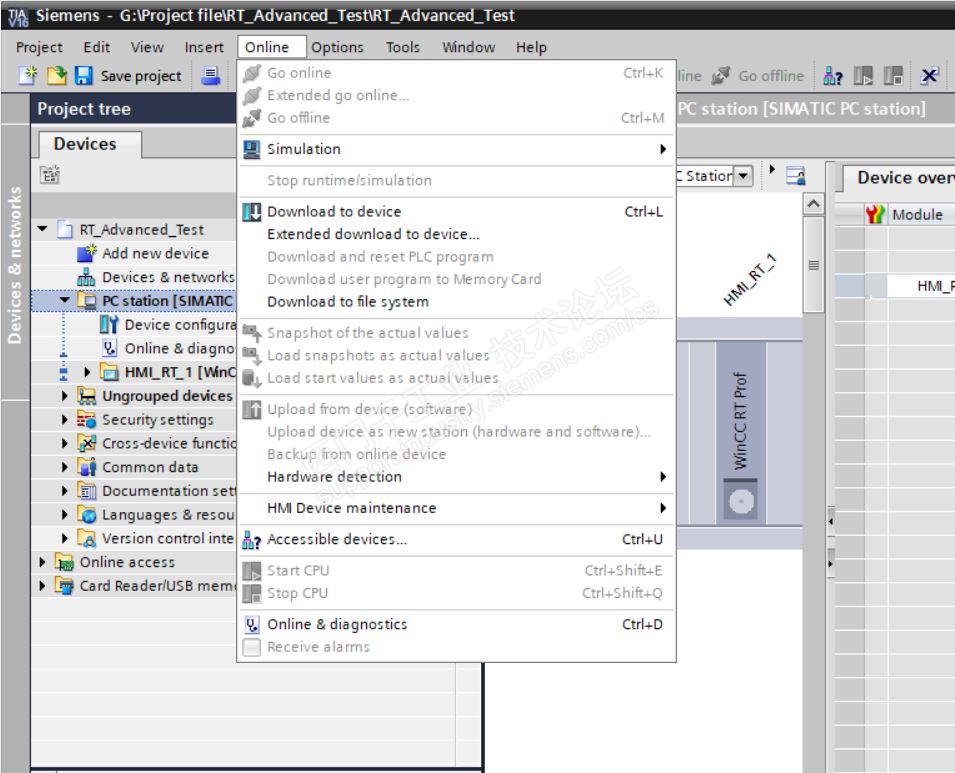
可以看到有三种方式,分别是下载到设备,扩展下载到设备和下载到文件夹;如果组态的项目是Advanced的版本,则只有前面2者。如下
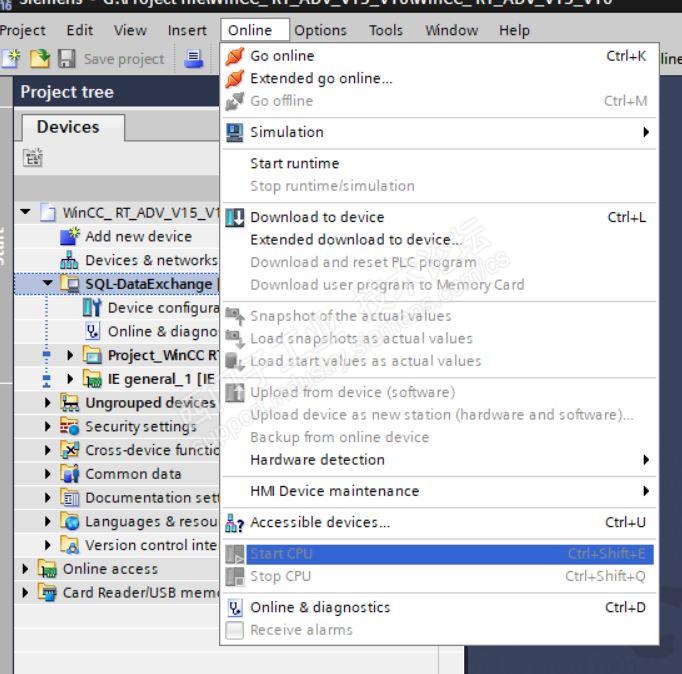
1.扩展的下载,可以通过网络下载到目标设备中;
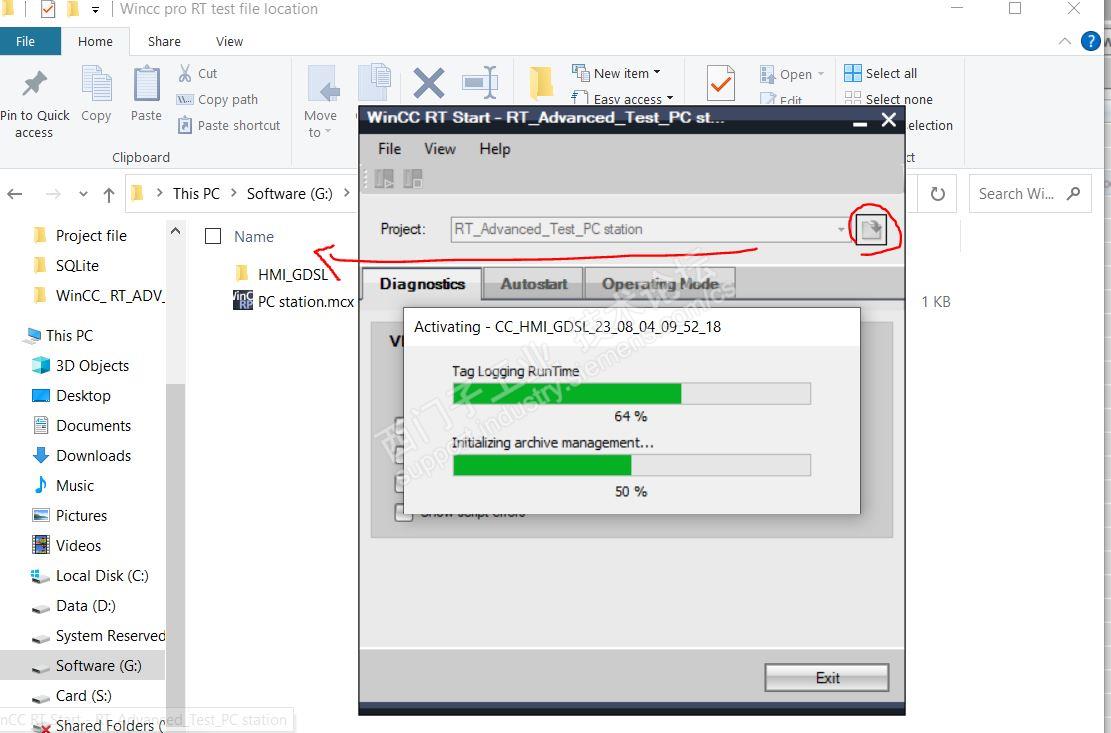
2.下载到文件,适合把项目通过U盘等介质拷贝到目标设备,方便传送给别人,同时有一定的保护作用;在目标设备上找到程序文件夹的位置,打开即可;同时还可以设置开机自动启动等选项;
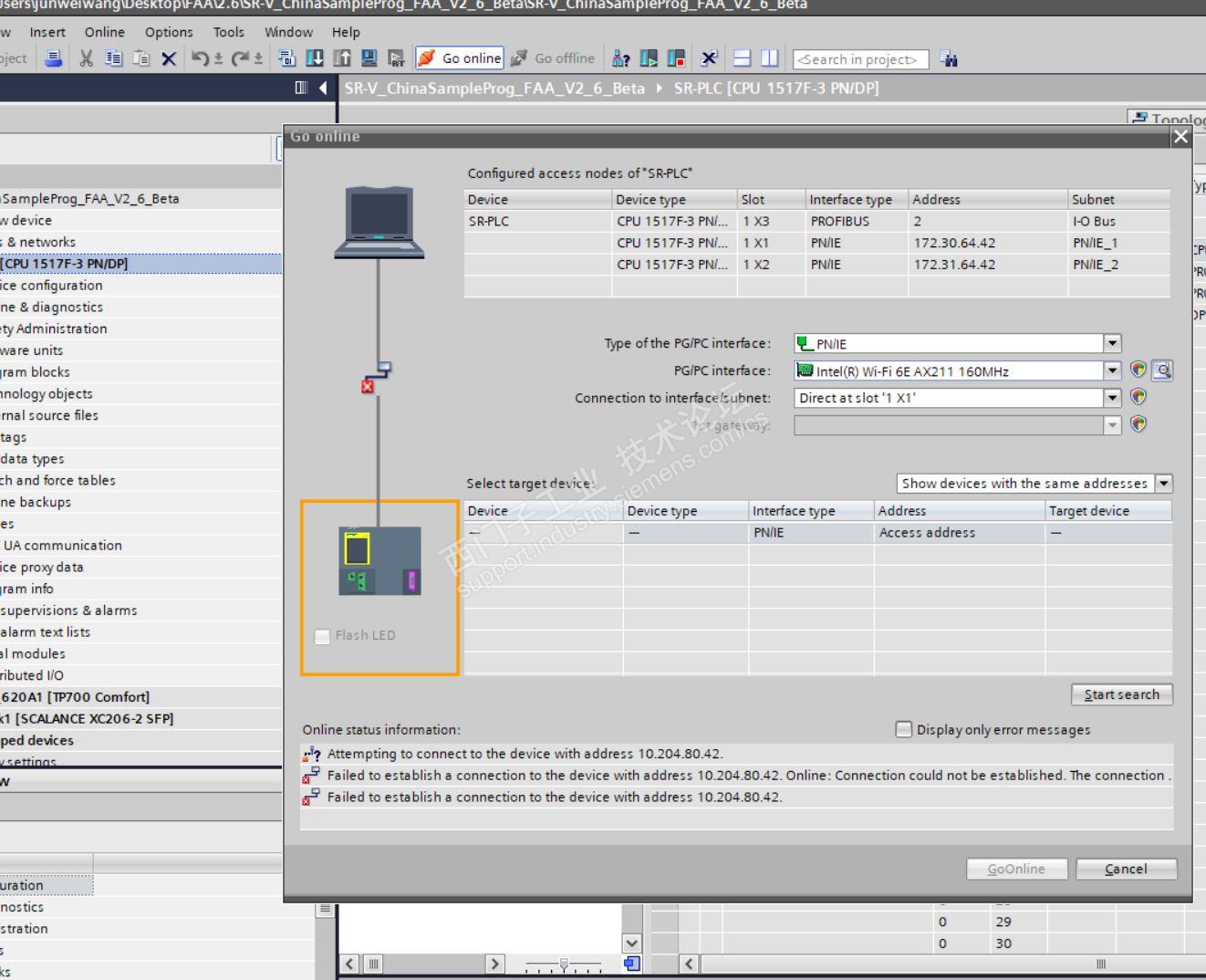
关于下载到设备和扩展的下载到设备的区别,如下:
If you had previously established an online connection, the "Load preview" dialog opens. This dialog displays messages and proposes actions necessary for downloading.
If you had not previously established an online connection, the "Extended download to device" dialog opens, and you must first select the interfaces via which you want to establish the online connection to the device. You have the option of showing all compatible devices by selecting the corresponding option and clicking the "Start search" command.
基本区别就是:之前是不是在线过了,在线过了就直接下好了,没有的话就扫描一下,先找到目标位置;











 技术支持
技术支持 AI小西
AI小西
 风驰卡
风驰卡 产品入门
产品入门 在线产品选型
 售后登记和质保查询

 备件商城
备件商城 ASP工程师验证
 ASP公司证书验证
 售后服务常见问题
 首页
首页 售前文档(样本、宣传册等)
  售后文档(FAQ、手册等)
 首页
首页 立即开通1847会员
 标准机型应用中心
 首页
首页 教室培训课
教室培训课 取证训练营
取证训练营 在线自学课
在线自学课 认证证书查询
 培训伙伴验证
 首页
首页 最新发帖
最新发帖 精华帖
精华帖 发新帖
发新帖 已解决问题
已解决问题 精华常见问题
 官方商城
官方商城 西门子中国
西门子中国



 白金
白金


 本版热门话题

 相关推荐
相关推荐 相关帖子推荐











