发布于 2003-09-02 11:18:35
0楼
QUESTION:
What means exist of accessing an S7-200 with WinCC V5.1?
ANSWER:
Here are the possible ways of communicating with the S7-200.
Communication via 'MODBUS Serial'
You can access the inputs, outputs and tag words of the S7-200 CPU directly via the 'MODBUS Serial' channel using a PC / PPI channel. You can also access a number of CPUs. The CPUs only have to be connected by PROFIBUS. Furthermore, load the command library for the MODBUS protocol into your CPU.
You will find further information and des criptions in the WinCC online help under the 'ModBus Serial' index.
Procedure:
Add the 'MODBUS Serial' driver in WinCC Tag Management.
Create the connection and tags (refer to the WinCC online help for information on addressing the tags).
Set the system and connection parameters in WinCC.
Parameterize and program the S7-200 with STEP 7 MicroWin V3.2
Caution:
Transfer the command library from STEP 7 MicroWin to your S7-200 CPU in order to perform the settings for the MODBUS protocol.
The PC (COM interface) and the S7-200 CPU (PPI interface) are connected by a PC / PPI cable.
Components required:
WinCC 'MODBUS Serial' channel
S7-200 CPU
PC / PPI cable
STEP 7 MicroWin V3.2
MicroWin add-on command library V1.1
The simplest way to communicate between the WinCC and the S7-200 is via the MODBUS Serial protocol.
Note:
The'MODBUS Serial' channel is not part of the WinCC basic package.
Communication via the MODBUS Serial Modem
You can establish a connection between your WinCC station and the S7-200 via a telephone line using the 'MODBUS Serial Modem' channel. You can access inputs, outputs and tag words. However, you will require the S7-200 communication module, the EM241, for this purpose. This module facilitates special communication requirements, like remote maintenance, telecontrol, signaling or remote data transmission over wide distances. The one drawback that should be mentioned is that connecting and disconnecting by dialing using the modem is slow.
Note:
The'MODBUS Serial Modem' is not included in the WinCC basic package. This channel can be obtained from the Allmendinger Engineering Office (www.allmendinger.de).
Communication via PROFIBUS-DP
Connection via PROFIBUS-DP is a fast form of communication, however it can only be used to control the inputs and outputs of the S7-200. In order to communicate via PROFIBUS-DP, you require the S7-200 communication module, the EM277. You will find a precise des cription of how to connect to an S7-200 via PROFIBUS DP under Entry ID11515829.
Communication with OPC
You have also the possibility to establish an interconnection with the OPC server of SIMATIC NET 7/2001 SP4.
Note:
For this connection, you need a S7-2xx module with firmware release 1.22
A detailed des cription of the ethernet communication between a S7-200 and WinCC as well as an appropriate example can be found in entry ID 14587200












 西门子商城
西门子商城 西门子中国
西门子中国


 普通
普通

 本版热门话题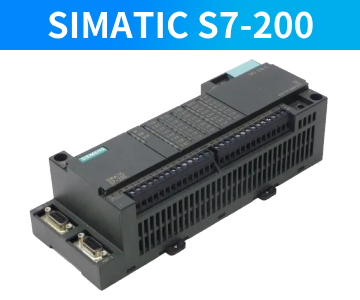

 相关推荐
相关推荐 相关帖子推荐











